Who your subscribers on Mail.ru are
Addresses on mail.ru, bk.ru, list.ru, inbox.ru, internet.ru and xmail.ru belong to one provider and share the same sending rules. If your list has even one of these domains, the requirements below apply to your campaigns.
-
 @mail.ru
-
@bk.ru
-
@list.ru
-
@inbox.ru
-
@internet.ru
-
@xmail.ru
Mail.ruone line in the Estismail report
What Mail.ru requires from bulk email
Mail.ru accepts bulk email if subscribers opted in themselves and the sender has verified their domain. Below are eight requirements from the Mail.ru help: tick what you have already done.
-
01
Subscriber consent
Write only to people who signed up themselves, ideally with email confirmation. Purchased and scraped lists are not allowed.
Check: you know when and how each address subscribed.
-
02
SPF, DKIM and DMARC
Signatures prove the email was sent on behalf of your domain. Mail.ru requires every check to pass.
Check: the record status in your Estismail account, in the domains section. What they are: SPF, DKIM, DMARC.
-
03
Your own domain in From
Not a free mailbox like @mail.ru or @gmail.com: reputation builds on your own domain.
Check: the sender address is on your company domain.
-
04
A clear, simple unsubscribe
A visible "Unsubscribe" link in every email, with no login or password, so people see right away how to opt out. Mail.ru also recommends the List-Unsubscribe header.
Check: click "Unsubscribe" in your own email: the path to opting out should be short and clear.
-
05
Who is writing: company details
People should understand who is emailing them: brand, legal name and registration details, physical address, phone and other company contacts.
Check: the footer of every email has the brand, legal details, address and contacts.
-
06
Where the address came from
Say why the person got the email: "You subscribed to news on our website...".
Check: this phrase is in the email footer.
-
07
A clean list
Remove addresses that return "User not found". More than 5% nonexistent addresses leads to Spam or a block.
Check: the share of "no such address" replies in the campaign report.
-
08
No link shorteners
Do not hide links behind shorteners and redirectors, and do not use IP addresses in them.
Check: links in the email point to your domain.
Based on the Mail.ru help center: general rules (October 9, 2023) and technical requirements (December 6, 2023).
How many complaints Mail.ru allows
The acceptable spam complaint rate depends on volume: the more emails a month, the lower the threshold, from 1.1% to 0.3%. Move the slider to see how many complaints Mail.ru tolerates at your volume.
- 1,1 %up to 10,000
- 1 %up to 500,000
- 0,8 %up to 10M
- 0,5 %up to 50M
- 0,3 %over 50M
Your complaint rate depends on your list and your emails.
- more than 5% nonexistent addresses in a campaign
- spam traps from purchased and scraped lists
- a sudden jump in volume, especially from a new domain
Besides complaints, everything in the list above hurts reputation. Thresholds follow the Mail.ru technical requirements (December 6, 2023).
Why emails land in Mail.ru Spam and how to find out
Most often emails go to Spam because of complaints, nonexistent addresses and a sudden volume jump from a new domain. Where to look for each cause:
-
1
Many spam complaints
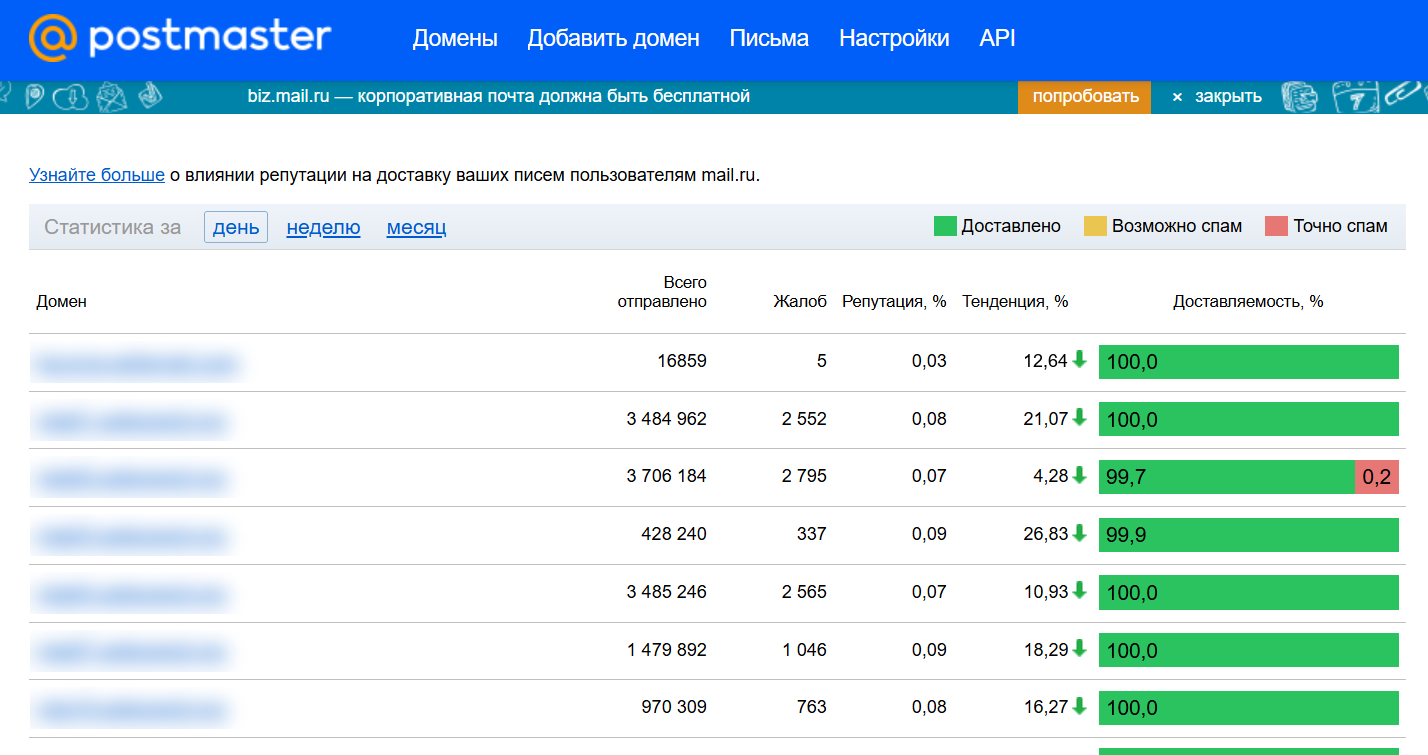
Mail.ru Postmaster, the "Complaints" column; complaints in the campaign report
Postmaster -
2
Nonexistent addresses
"User not found" replies in the campaign report
Campaign report -
3
New domain or sudden volume growth
Share of your domain's emails in Spam
Postmaster -
4
No domain signature: SPF, DKIM, DMARC
Record status in the domains section
Estismail account -
5
Hidden or third-party sender
The From field: an address on your domain
Email -
6
Links through shorteners
Links in the email point to your domain
Email
Mail.ru has its own sending lane
Mail.ru sending runs separately from other providers and at its own pace. If Mail.ru starts rejecting, emails to other providers are not delayed.
Mail.ru- Test batchat the start of a campaign only a small share of emails goes to Mail.ru
- Mail.ru replieswe see them right away, for every email
- Ramp-upspeed grows with your domain's rating at Mail.ru; if the provider asks to slow down, we slow down
- Pause and stopon spam rejections or many nonexistent addresses, a pause and a new test batch; after three pauses, a stop
How Estismail delivers to Mail.ru
Mail.ru itself advises asking your email service whether it follows the rules for email services. Our answer on each point:
"The reply may affect the deliverability of your emails"
Mail.ru, rules for email services, November 4, 2021
Mail.ru asks How Estismail does it
Mail.ru9.4 out of 10
How much Mail.ru trusts your domain is shown in your account: a score from 0 to 10 for each provider. Example for shop-example.com. How domain rating works →
New domain: how to start sending to Mail.ru
Mail.ru doesn't trust a new domain, so volume is increased gradually. Estismail has built-in domain warmup for this.

- Startthe most active subscribers
- Nextvolume grows little by little
- CheckPostmaster and server replies
- Whole listwhen Mail.ru trusts the domain
Do not change the domain and the sending server at the same time: to Mail.ru that is a new sender again.
Can you send a campaign from a personal Mail.ru mailbox
No.
Mail.ru asks that bulk email go from your own domain, with a domain signature and bulk headers, and forbids email services from sending on behalf of free mailboxes. Mail.ru may block sending from a personal mailbox, and it has a separate server reply for that:
550 message sending for this account is disabled
How we know this
Mail.ru requirements, help for senders: general rules (October 9, 2023), technical requirements (December 6, 2023), rules for email services (November 4, 2021), sending errors. Estismail figures: Mail.ru Postmaster for our sending domains, snapshot of October 20, 2026. Prepared by the Estismail team, updated October 21, 2026.
Start free with up to 1,000 subscribers
Moving from another service? Upload your export as a CSV file with any delimiter: we fix typos in domains, drop addresses without an email, and show the result in numbers.
Other providers
Every provider has its own character: one gets angry at complaints, another at a new domain, a third at emails without an unsubscribe. We add detailed provider guides one by one: pick yours.


